
Step 1
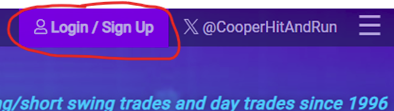
Sign in if you are not already by clicking Login / Signup at the top right.
Step 2
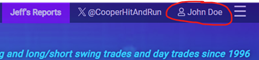
Once signed in, go to your account by clicking your name at the top right.
Step 3
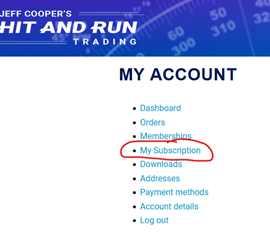
Click Subscriptions or My subscription in the left menu
If you were previously a monthly subscriber and are switching to annual at 15% off…
(previous annual subscribers go to step 7)
Step 4
If the status of your latest subscription is ON HOLD, click the View button. Then click CANCEL. Otherwise, go to Step 5.
Step 5
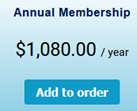
Go to the Subscription page and click Add to Order under Annual Membership
Go to Step 9
If you were previously an annual subscriber and are opting into the 15% off promotion…
Step 6
If you have more than one subscription, click the View button next to the most recent subscription. Otherwise, you will already be on the subscription page.
Step 7
If your subscription status is CANCELED or PENDING CANCELLATION,
click Reactivate. Otherwise, go to Step 9 to make the payment on your current annual subscription.
Step 8
Click the Pay button below next to the most recent order in the Related Orders section

Step 9
Click to enter coupon code COMEBACK2603P
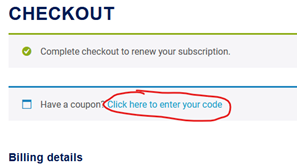
Step 10
Continue with Checkout